Collect your wishes
Save a film, café or gift. Places with coordinates appear on your map.

Your wishes and shared plans with friends
A film for tonight, a café for the weekend or a birthday gift. Save your wishes in VIOTray, share them with friends in a group and choose what to do together.
Your personal collection is free. VIOTray works in your browser and on Android.
Start with your personal collection. Invite friends when you want to pick a film or go somewhere together.
Save a film, café or gift. Places with coordinates appear on your map.
Invite friends to a shared space and add wishes you would like to fulfil together.
Choose a wish and a date. Friends can reply to say whether they can join.
Add a film for tonight, a café for breakfast or a walk you would like to take. Each wish becomes a card with an image, a link and your notes. Paste a link and review the details or create a card yourself.
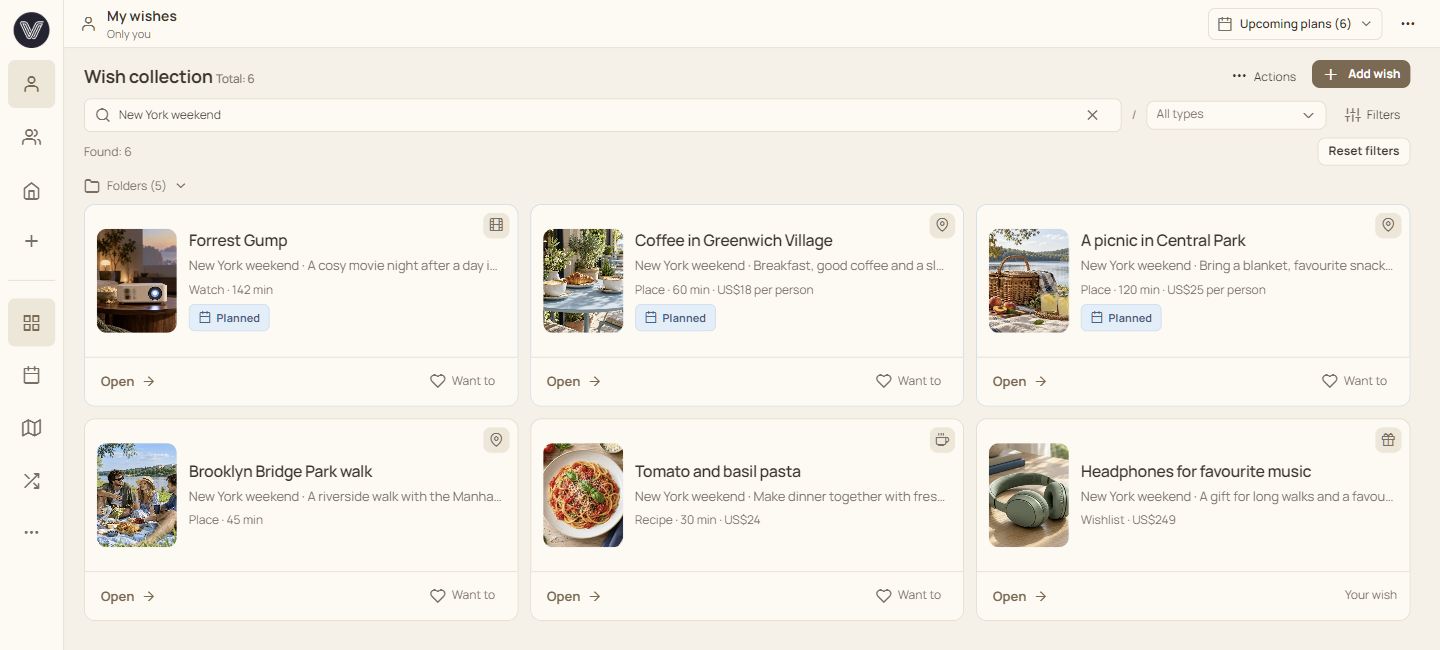
Your collection might start with a film, a café and a picnic in the park.
How to save a wish from a link
Open your saved places map and choose a café or park for the weekend. See which of your wishes are nearby.
A map pin needs coordinates. Check the address on the card and set the location yourself if needed.
How the places map works
Create a shared space for friends, your partner or family. Invite them and share selected wishes. Everyone can add ideas, and reactions show who is interested.
Suggest the café and film from your collection. Discuss them in comments and group chat. Your personal notes stay private.
How to choose together
A film at home or a visit to that café? Create a plan from the chosen card and set a date and time. Friends can reply to say whether they can join.
Shared availability helps you find a time. After the get-together, mark the wish as completed and save an impression.
How shared plans work
Collect gifts you would like for your birthday and share them in your group. Add links, colours or sizes. Your people can reserve a gift to avoid choosing the same thing.
The giver’s name stays hidden. You can also coordinate a group gift. You arrange purchases and payments yourselves.
How gift wishlists workWhen it is time for a gift exchange, the group owner sets a date and budget. People join in, then the draw lets each participant open their recipient’s wishes.
The draw needs at least three participants. Wishlists help you choose a gift your recipient wants.
How to run Secret Santa
The example already has a café, a film and a picnic. Open a card, see places on the map and create a plan. No signup required.
Open a card, mark it or add the idea to plans.
No matches. Try a different search.
Loading the New York map…
Sample data. Changes stay inside this preview.
Explore wishesPractical guides to help you get started.

Bring a few ideas together, agree on time and budget, then choose one plan people can commit to.
Read guide
Specific details help your people choose a gift you will enjoy. A good list leaves room for different budgets and preferences.
Read guide
Keep the address, pin and useful details beside the idea. Return to your collection when you are ready to choose a place.
Read guide
Import the information a page makes available, review the draft and add the details that matter to you.
Read guide
Choose a category that asks for useful details. Use folders to bring different kinds of ideas together for the same occasion.
Read guideAgree on the rules, invite your group and connect the gift draw to wishes each participant has chosen to share.
Read guideSave wishes on your computer and phone. Sign in to keep your collections and plans together.
Android: APK outside Google Play. Install the extension on your computer from Chrome Web Store.
Keep personal wishes for free. Subscribe when you want to join in or bring your own people together.
Your wishes, folders and personal plans. View group cards by invitation.
Start for freeInvite unlimited members and try collaborating. A trial group is available once per account; a suitable subscription is needed to continue afterwards. Your first three paid months are 30% off.
Payments are not connected yet — no charges.Join your people or keep a shared collection for two.
Create your own groups. Participant subscription is included.
Group actions also require an active owner subscription. Invited members with Participant or Creator pay for their own access.
Select your country when registering. Availability depends on the published legal details and regional launch settings.
Yes. Save ideas in a personal collection and create a group when you want to do something together. Each person needs an account to join and vote.
VIOTray works in a browser on your phone and computer. The optional Chromium extension helps you save pages from a computer.
Set your budget and free time. VIOTray suggests available cards based on the group’s reactions. Change your filters or add more ideas if nothing fits.
Group members can see cards and discussions shared in that group. Public links show selected information without allowing votes or reservations. Personal notes and reading progress stay private.
People can reserve gifts; the giver’s name stays hidden. Group gifts have an organiser and participants’ pledged amounts. You arrange payments and purchases yourselves. Groups can also run Secret Santa.
Keep personal wishes, view group cards by invitation and create one free trial group for 30 days. Participation in that group is free with unlimited members. A suitable subscription is required for collaboration after expiry.
No. It covers two people only in the owner’s couple group. Participant or Creator is required for actions in other groups.
Groups and cards remain available to view. Actions, plans and chat require active participation access and an active owner subscription.
Save a film, a café or a gift. Invite friends and make a shared plan when you are ready.